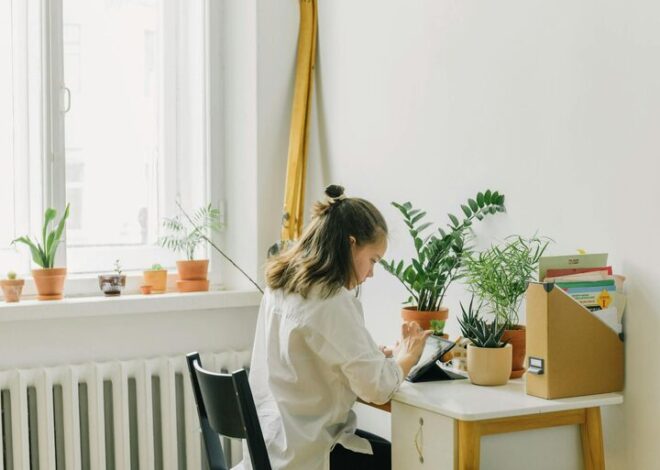
Tips for Creating an Organised and Productive Home Office Space
Creating a home office that is both organised and productive can make a huge difference in how effectively you work each day. Whether you are new to working from home or looking to improve your current setup, a well-planned workspace can help reduce distractions, improve focus, and keep you motivated. Here are some practical tips to help you design a home office space that works for you.
Choose the Right Location
The first step is deciding where your home office will be. Ideally, pick a quiet area with good natural light to reduce eye strain and boost your mood. If possible, select a room with a door you can close to limit interruptions.
Consider these factors when choosing your space:
– Privacy: Somewhere away from daily household traffic.
– Lighting: Near windows for daylight and ample task lighting for late hours.
– Space: Enough room for your desk, chair, and essential office equipment.
Invest in Comfortable and Functional Furniture
A comfortable and ergonomic setup is important to prevent fatigue and discomfort.
– Desk: Choose a desk that fits your space and has room for your computer, notebooks, and other essentials.
– Chair: Invest in an ergonomic chair with good lumbar support to keep you comfortable during long work sessions.
– Storage: Include shelves, filing cabinets, or drawers to keep documents and supplies organised.
Declutter and Keep it Simple
An organised space promotes clear thinking and productivity. Avoid overcrowding your desk with unnecessary items.
– Use cable organisers to manage cords and reduce visual clutter.
– Only keep daily essentials on your desk.
– Regularly tidy your workspace at the end of each day.
Use Organisers and Storage Solutions
Having the right storage systems can keep your workspace neat.
– Desk organisers: For pens, paper clips, and stationery.
– Filing systems: Labelled folders or boxes for documents.
– Wall organisers: Pegboards or shelves to free up desk space.
Maximise Natural Light and Add Task Lighting
Natural light improves mood and energy, but it’s important to have adequate artificial lighting as well.
– Position your desk near a window if you can.
– Use adjustable desk lamps to reduce eye strain.
– Avoid harsh overhead lights that cause glare on screens.
Minimise Distractions
Your home office should be a distraction-free zone.
– Use noise-cancelling headphones if your environment is noisy.
– Set boundaries with family or housemates during work hours.
– Keep personal devices out of reach if they distract you.
Personalise Your Space
Adding a few personal touches can help make the space inspiring and enjoyable.
– Place a few plants to improve air quality and add calmness.
– Hang artwork or motivational quotes that encourage you.
– Use colours that boost creativity and focus.
Maintain Good Habits
Even the best office setup needs good working habits to support productivity.
– Take regular breaks to rest your eyes and move your body.
– Plan your day with a to-do list or digital calendar.
– Keep your workspace clean by setting a weekly tidy-up routine.
Use Technology Wisely
Technology tools can greatly enhance your productivity when used effectively.
– Use cloud storage to keep important files accessible and backed up.
– Make the most of productivity apps to manage tasks and deadlines.
– Ensure your internet connection is reliable for video calls and research.
Final Thoughts
Setting up an organised and productive home office requires some planning and effort, but the benefits are worth it. A well-designed space not only improves your efficiency but also supports your wellbeing and motivation. Start by choosing the right location, investing in comfortable furniture, and maintaining a clutter-free environment. From there, personalise and organise your workspace to suit your needs, and establish good habits for lasting productivity. With these tips, you can create a home office that helps you do your best work every day.