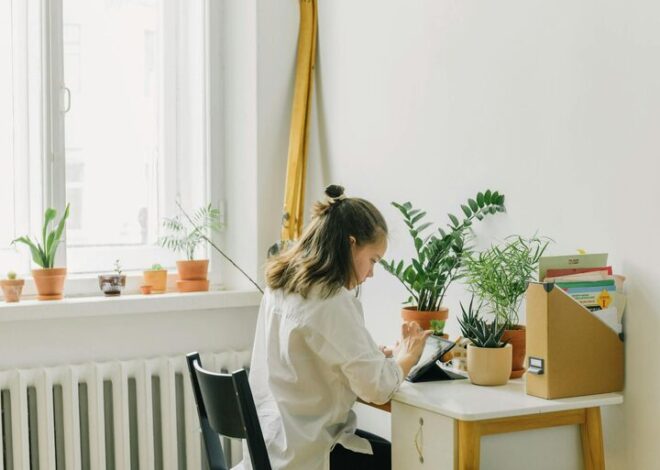
Tips for Creating a Productive Home Office Environment
Creating a productive home office environment is essential for anyone working remotely or running a business from home. A well-organised and thoughtfully designed workspace can improve focus, reduce distractions, and make work more enjoyable. Whether you’re setting up a new office or refining your current one, these practical tips will help you create an effective home office tailored to your needs.
Choose the Right Location
Find a Dedicated Space
If possible, select a dedicated room or area that is separate from your relaxation spaces. Having a clear boundary between work and home life helps maintain focus and signals to others that you are working.
Consider Light and Noise
Choose a spot with plenty of natural light, which can boost mood and reduce eye strain. If natural light is limited, invest in good quality lamps that provide bright, even lighting. Also, consider how noisy your environment is—using noise-cancelling headphones or white noise machines can help minimise distractions.
Invest in Comfortable, Functional Furniture
Ergonomic Chair and Desk
A comfortable chair with lumbar support and an adjustable desk can prevent physical discomfort. Make sure your desk and chair heights allow your arms to rest comfortably at a 90-degree angle when typing.
Desk Organisation
Keep your desk tidy and clutter-free to foster a clear mind. Use trays, pen holders, and filing systems to organise documents and stationery.
Set Up Your Technology Efficiently
Reliable Internet Connection
A fast and stable internet connection is crucial for productivity, especially if you rely on video calls and cloud-based applications.
Essential Equipment
Ensure your computer, printer, and other devices are up-to-date and functioning well. Use external keyboards, mice, and monitors if they improve your comfort and efficiency.
Cable Management
Manage your cables neatly with clips or sleeves to avoid tangles and keep your workspace looking clean.
Optimise Lighting and Air Quality
Lighting Tips
Avoid glare on screens by positioning your desk perpendicular to windows. Use adjustable blinds or curtains to regulate natural light.
Improve Air Circulation
Poor air quality can decrease concentration. Open windows regularly or use air purifiers to keep fresh air flowing.
Personalise Your Space Thoughtfully
Decor for Motivation
Add elements that inspire and motivate you, such as artwork, plants, or photos. Plants can also improve air quality and create a calming atmosphere.
Avoid Overcrowding
While personal touches can brighten the space, avoid overcrowding your desk or room, as this can cause distractions.
Establish a Routine and Boundaries
Work Hours
Set specific work hours to structure your day and stick to them. This helps balance work and home life.
Breaks and Movement
Incorporate short breaks to stand, stretch, or move around. This supports physical health and boosts focus.
Communicate Boundaries
If you live with others, communicate your work hours and the importance of minimizing interruptions.
Stay Organised and Plan Ahead
To-Do Lists and Calendars
Use to-do lists and digital calendars to prioritise tasks and manage deadlines.
Declutter Regularly
Set aside time weekly to tidy your workspace, discard unnecessary papers, and reorganise supplies.
Minimise Distractions
Limit Non-Work Devices
Keep personal phones and unrelated tabs or apps out of reach during work periods.
Use Focus Techniques
Try methods like the Pomodoro Technique (working in focused time blocks) to maintain concentration.
Take Care of Your Wellbeing
Comfort Essentials
Have water, snacks, and comfortable clothing nearby to avoid unnecessary distractions.
Mental Health
Incorporate mindfulness or breathing exercises into your day to reduce stress and maintain motivation.
—
Creating a productive home office is a personal process, but the key elements include comfort, organisation, proper lighting, and personal boundaries. By following these tips, you can build a workspace that supports your best work and well-being.