
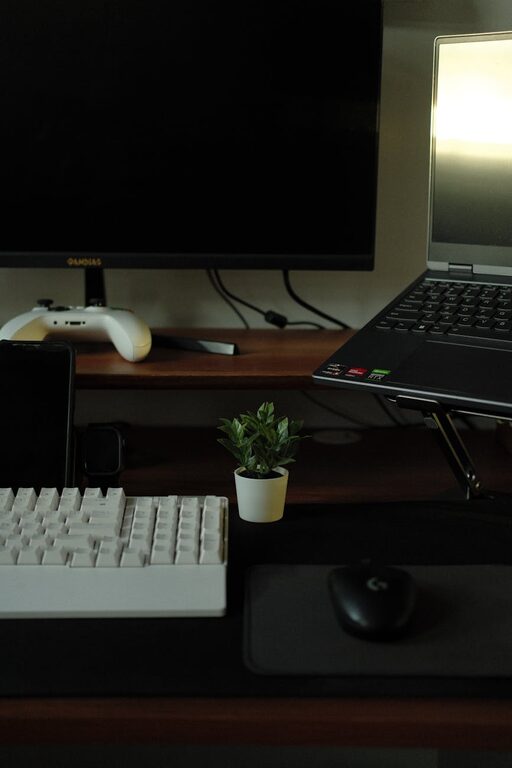
Tips for Setting Up a Productive Home Office Space
Working from home has become a common part of many people’s lives, making it more important than ever to design a home office space that supports productivity and well-being. Setting up an efficient and comfortable workspace can help you stay focused, reduce distractions, and improve your overall work experience. Here’s a detailed guide on how to create a productive home office space.
Choose the Right Location
Selecting the best spot in your home for your office is the first step. Ideally, look for a quiet area with minimal foot traffic, away from the kitchen or living room where distractions are more common. If possible, choose a room with a door so you can close it during work hours for privacy and focus.
Consider Natural Light
Natural light can have a positive effect on your mood and energy levels. Position your desk near a window to enjoy daylight, which can reduce eye strain and fatigue. However, try to avoid placing your screen directly opposite a window to prevent glare on your monitor.
Invest in Comfortable and Ergonomic Furniture
Spending long hours at your desk requires furniture that supports your posture and comfort.
– Desk: Choose a desk with enough surface area for your computer, paperwork, and any other tools you need.
– Chair: Opt for an ergonomic chair with adjustable height, good back support, and comfortable cushioning. Your feet should rest flat on the floor, and your knees should be at a 90-degree angle.
– Accessories: Consider a footrest, wrist rests, or a separate keyboard and mouse if you use a laptop to improve ergonomics.
Organise Your Workspace Efficiently
A tidy workspace can enhance focus and reduce stress. Here are some organisation tips:
– Declutter regularly to keep only essential items within reach.
– Use storage solutions such as drawers, shelves, and organisers to keep documents and supplies neat.
– Cable management with clips or cable boxes prevents tangles and keeps your desk surface clear.
– Designate zones on your desk, for example, one area for your computer, another for writing, and another for reference materials.
Create a Lighting Plan
Good lighting is vital for reducing eye strain and maintaining alertness.
– Ambient lighting: Ensure your room has sufficient overall lighting, typically from ceiling lights or lamps.
– Task lighting: Use a desk lamp that provides focused light on your work area. Adjustable lamps allow you to direct light exactly where it’s needed.
– Avoid harsh shadows and glare by positioning lights correctly and choosing bulbs with a soft, natural tone.
Minimise Distractions
Distractions can break your concentration and lower productivity. Here’s how to create a distraction-free zone:
– Quiet environment: Use noise-cancelling headphones or listen to soft background music if noise is an issue.
– Limit digital interruptions: Turn off non-essential notifications on your phone and computer during work hours.
– Clear boundaries: Communicate your work hours to family or housemates to reduce interruptions.
Personalise Your Space Thoughtfully
Adding personal touches can make your office more inviting, but it’s important to strike a balance to avoid clutter.
– Display a few favourite photographs or artwork that inspire you.
– Include some greenery with low-maintenance plants to improve air quality and add a calming effect.
– Use colours that boost productivity and mood, such as blues and greens.
Set a Routine and Keep Your Space Clean
A well-maintained workspace encourages a professional attitude.
– Clean your desk at the end of each day.
– Organise paperwork before you finish work to avoid a backlog.
– Set regular times for tidying and restocking supplies.
Utilise Technology to Enhance Productivity
Apart from a reliable computer, certain tools can improve your workflow.
– Dual monitors can help with multitasking.
– Use productivity apps for task management and keeping schedules.
– Consider a good-quality webcam and microphone if you attend video meetings.
Consider Air Quality and Comfort
The physical environment matters, too.
– Ensure good ventilation or use an air purifier.
– Maintain a comfortable temperature; not too hot or cold.
– Keep a water bottle nearby to stay hydrated throughout the day.
Final Thoughts
Setting up a productive home office space involves more than just placing a desk and chair in a room. Thoughtful choices in location, furniture, lighting, and organisation can make a big difference to your workday efficiency and well-being. Regularly assess your workspace and make adjustments as your needs evolve to maintain a comfortable and inspiring home office environment.
